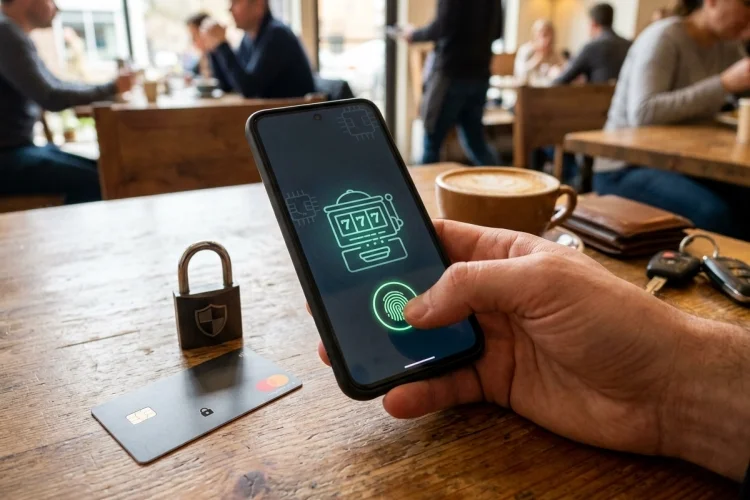

A fake casino app does not always look fake. It may use professional graphics, copy the name of a recognised operator, and display convincing reviews or payment logos.
The danger often becomes clear only after a player enters login information, submits identity documents, or sends money. By that stage, the scammer may already have valuable personal data.
Fortunately, safe and risky Mobile Casino Apps often show different warning signs. Checking the developer, download source, licence, permissions, and update history can help you avoid many common problems before they affect your account.
Match the Developer With the Casino Operator
Start by checking the developer name shown on the app-store listing.
The developer should be the licensed casino company or a technology provider clearly connected to it. Compare this name with the legal operator listed in the casino’s terms and the gambling regulator’s register.
A slightly different brand name is not always suspicious because one company may operate several casinos. However, the relationship should be explained clearly rather than hidden behind vague wording.
Verify the Licence Outside the App
A licence number inside an app can be copied, invented, or used without permission.
Open the regulator’s official website independently and search for the operator. Check whether the authorisation is active, covers remote casino services, and includes the relevant brand or domain.
Licensed gambling apps serving Great Britain must provide information showing their regulated status and Gambling Commission account number.
If you cannot match the app to an official record, do not deposit while waiting for an explanation.
Understand What App-Store Approval Means
Google and Apple impose rules on gambling applications, including licensing and geographic restrictions.
Google Play requires operators to hold appropriate licences in the countries where their real-money gambling apps are offered. Apple similarly requires the necessary local licences and geographic restrictions.
This screening is useful, but it is not a promise that every app will always remain secure or suitable for every user. Licence verification, permissions, privacy practices, and account controls still need to be reviewed.
Check the Download Link Carefully
A licensed casino may direct users to an official store page from its verified website.
Be careful when an advertisement sends you directly to an installation file, especially when it asks you to disable device security or allow installation from unknown sources. Google’s app-verification tools can warn or block software identified as potentially harmful.
Misspelled domains, shortened links, urgent countdowns, and promises of exclusive winnings are common reasons to pause.
Inspect Permissions Before Allowing Them
Permissions reveal which parts of your device an app wants to access.
Camera access may make sense when uploading verification documents. Location may also be necessary in markets where gambling access must be geographically restricted.
Access to contacts, call logs, microphone recordings, or unrelated media should have a clear explanation. OWASP notes that permissions control access to sensitive features and that poor permission management can create privacy and data-exposure risks.
Deny unnecessary permissions and check whether the app still functions normally.
Look at Updates, Not Just Ratings
A high star rating can be helpful, but ratings can be manipulated or left over from an older version.
Check when the app was last updated and whether recent reviews mention login failures, payment problems, or suspicious permission changes. A regulated app handling financial and identity data should receive maintenance and security improvements.
Google recommends keeping Play Protect enabled because it checks apps for harmful behaviour and can warn users about suspicious software.
An app abandoned for years may no longer work safely with modern operating systems.
Watch for Payment and Withdrawal Red Flags
Risky apps may make depositing extremely easy while making withdrawals confusing or impossible.
Before paying, find the minimum withdrawal, supported cashout methods, fees, verification rules, and processing estimates. The app should provide accessible transaction records and customer-support details.
Do not send cryptocurrency or bank transfers to personal accounts named in chat messages. Payments should follow the method shown inside the verified cashier.
Remove Suspicious Apps Properly
If an app behaves strangely, stop entering information and avoid making further transactions.
Take screenshots of the listing, payment requests, developer name, and messages before uninstalling it. Change any reused passwords and review banking, e-wallet, or cryptocurrency accounts for unexpected activity.
On Android, run Play Protect after removal. On iPhone, review app permissions and network activity through App Privacy Report where available.
Report the listing to the app store and the relevant gambling authority when it impersonates a licensed operator.
Safe Mobile Casino Apps should have a clear connection to a licensed operator, an official download source, reasonable permissions, recent updates, and transparent payment rules.
Do not rely on attractive graphics, star ratings, or a licence badge shown inside the app. Match the developer and domain with the regulator’s register, inspect every permission request, and avoid files that require you to weaken device security.
Before installing, open the casino’s verified website and follow its official download link. When anything does not match, leave the app uninstalled and protect your personal information.